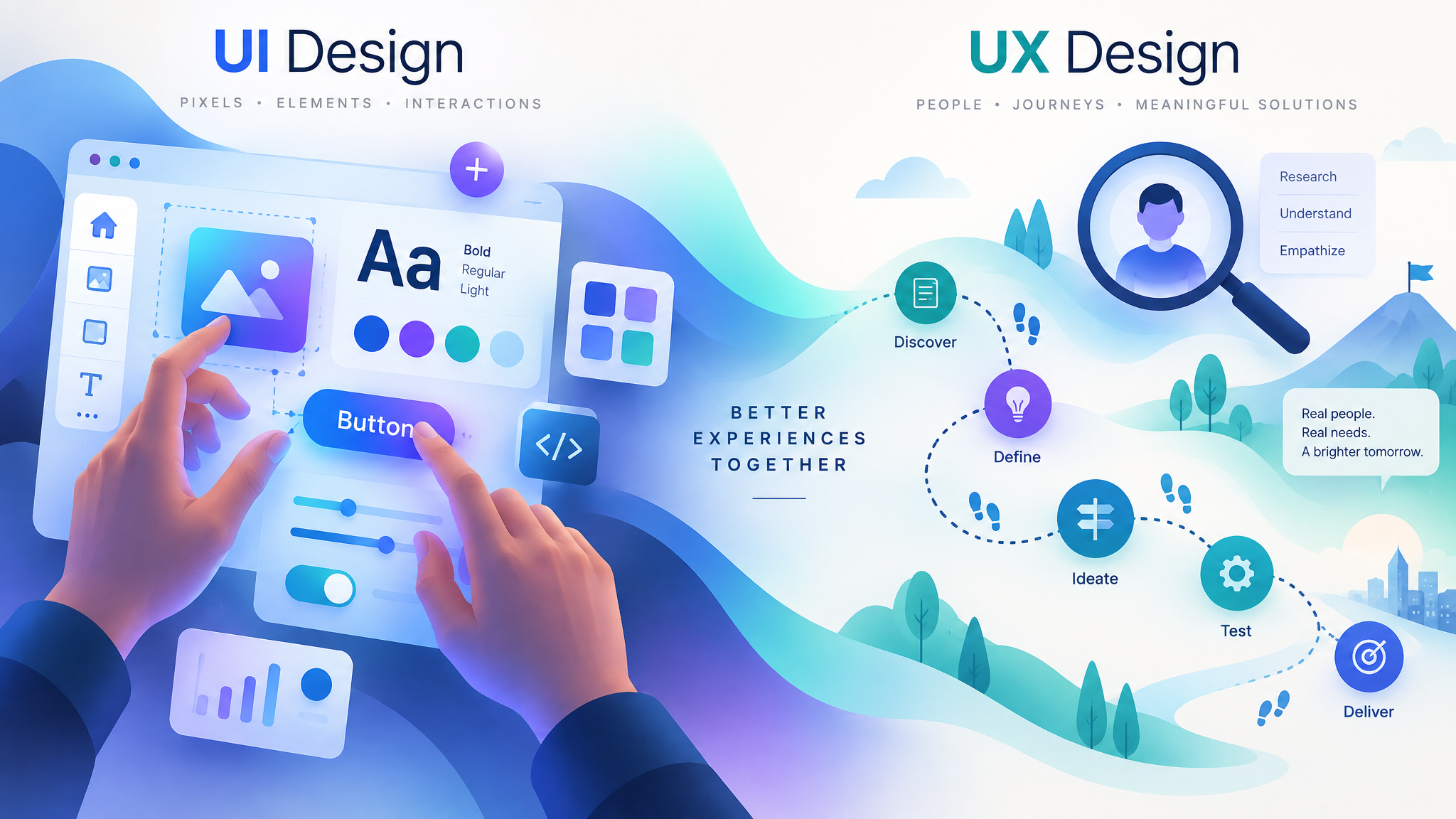
If you've spent any time researching web design, you've almost certainly come across the terms "UI" and "UX." They're often used together — sometimes even combined into the single term "UIUX" — which can make it easy to assume they mean the same thing. But UI design and UX design are actually two distinct disciplines, each with its own focus, skill set, and role in creating a successful website or app. Understanding the difference between UI vs UX design isn't just useful trivia — it directly affects how you plan, build, and evaluate any digital product.
In this article, we'll break down what UI design is, what UX design is, why the comparison of UI vs UX matters, and ultimately what separates the two.
What Is UI Design?
UI stands for "User Interface." UI design refers to the visual and interactive elements of a product — everything a user actually sees and touches on a screen. This includes buttons, icons, typography, color schemes, spacing, imagery, menus, and the overall visual layout of a website or app.
Think of UI design as the "look and feel" layer. A UI designer is responsible for making sure that every visual element is consistent, visually appealing, and functional. For example, they decide how a button should look, what color signals an action is available, how much padding should sit around text, and how a navigation menu should be styled.
Good UI design achieves a few key goals:
Visual consistency – using consistent colors, fonts, and spacing throughout the product Clarity – making interactive elements (like buttons and links) easy to identify Brand alignment – ensuring the interface reflects the brand's identity and tone Responsiveness – making sure the interface looks and works well across devices and screen sizes In short, UI design is about the tangible, visual building blocks of a digital product.
What Is UX Design?
UX stands for "User Experience." Unlike UI, which focuses on visual elements, UX design is concerned with how a product actually functions and feels to use — the entire journey a user takes when interacting with it. This includes everything from how easy it is to find information, to how intuitive the navigation feels, to how smoothly a user can complete a task like signing up or checking out.
A UX designer's job starts well before any visuals are created. It typically involves:
User research – understanding who the users are, their needs, and their pain points Information architecture – organizing content and features in a logical, easy-to-navigate structure Wireframing and prototyping – mapping out the structure and flow of a product before visual design begins Usability testing – observing real users interacting with a product to identify friction points UX design is fundamentally about problem-solving. A UX designer asks questions like: Can users easily find what they're looking for? Does the checkout process feel frustrating or seamless? Are there unnecessary steps that could be removed? The goal is to create an experience that feels intuitive, efficient, and satisfying — regardless of how the interface looks visually.
UI vs UX: Why the Comparison Matters
The reason "UI vs UX" is such a common discussion is that these two disciplines are deeply interconnected, yet frequently confused. A product can have a beautifully designed interface (great UI) but still be frustrating to use if the underlying structure and flow are poorly planned (poor UX). Conversely, a product could be extremely intuitive and logically structured (great UX) but look outdated or visually unappealing (poor UI).
Neither UI nor UX can fully succeed without the other. This is why the term "UIUX" has become so common — in practice, the two disciplines work hand-in-hand throughout the design process. A UX designer might map out the ideal user journey and wireframe the structure of a page, and then a UI designer builds on that foundation by adding the visual polish, branding, and interactive styling.
Understanding UI vs UX also matters for businesses when hiring or briefing designers. If a website looks great but users struggle to complete basic tasks, the issue is likely UX-related — perhaps a confusing navigation structure or an unclear checkout flow. If the structure and flow feel logical, but the site feels visually inconsistent or dated, the issue is more likely to be with the UI. Knowing this distinction helps identify where problems actually lie, rather than lumping all design issues into one vague category.
The Core Difference Between UI and UX To summarize the difference simply:
UI design is about how a product looks and feels visually — the buttons, colors, typography, and interactive elements users see and click on. UX design is about how a product works and feels to use — the overall journey, structure, and experience a user has while achieving their goals. Another helpful way to think about it: UX design is the blueprint, and UI design is the finished decoration. UX defines the rooms, the flow between them, and how easily someone can move through the house. UI decides the paint colors, the furniture, the lighting, and the finishing touches that make the house feel inviting.
A simple example: imagine an e-commerce checkout page.
UX design determines the number of steps in the checkout process, what information is required at each stage, and how to minimize friction so users don't abandon their cart. UI design determines how the "Complete Purchase" button looks, what color signals it's clickable, how form fields are styled, and how visually clear each step appears. Both are essential — and both are usually needed together to create a checkout experience that's both easy to use and visually appealing.
Why Businesses Need Both UI and UX Design
For businesses building or redesigning a website, investing in only one half of the equation often leads to problems. A site with excellent UX but poor UI may function logically but fail to build trust or reflect a professional brand image, since visual design plays a huge role in first impressions. On the other hand, a site with excellent UI but poor UX might impress visitors initially, but frustrate them once they try to actually use it — leading to higher bounce rates and lower conversions.
The most successful websites and apps are the result of thoughtful collaboration between UX and UI design (often summarized together as UIUX). UX ensures the product solves real user problems efficiently, while UI ensures that solution is presented in a way that's visually engaging, on-brand, and easy to interact with.
Final Thoughts
While "UI" and "UX" are often mentioned together, they represent two distinct — though closely connected — aspects of digital design. UI design focuses on the visual and interactive surface of a product, while UX design focuses on the overall structure, flow, and experience behind it. Neither one can compensate for a complete failure in the other; a truly successful website or app requires both strong UX design and strong UI design working in tandem.
Understanding the difference between UI vs UX design isn't just useful for designers — it's valuable for any business owner making decisions about their website. Knowing which discipline addresses which problems can help you communicate more clearly with designers, evaluate your own website more effectively, and ultimately invest in the right improvements to create a product that both looks great and works seamlessly for the people using it.